
Create consistent showrooms faster
Keep your Artbutler NEXT showrooms consistent without having to configure fonts, displayed artwork information, and layout options such as artwork presentation every time.
Simply configure a showroom to your liking and set its layout as the default. All showrooms created afterwards will automatically use these settings.
Quick guide
- Configure a showroom with your preferred fonts, colors, and layout options.
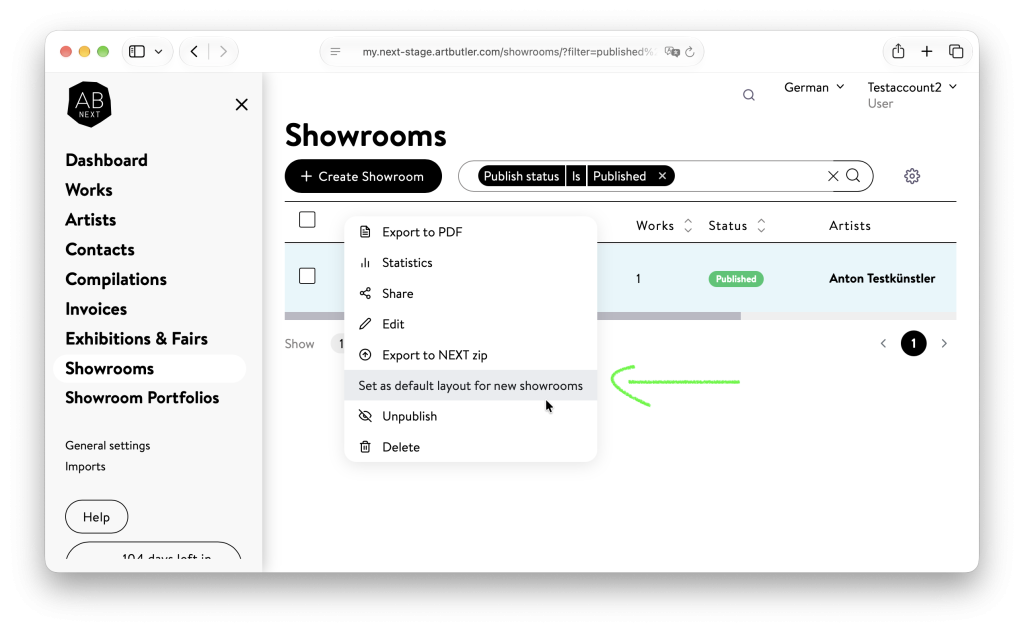
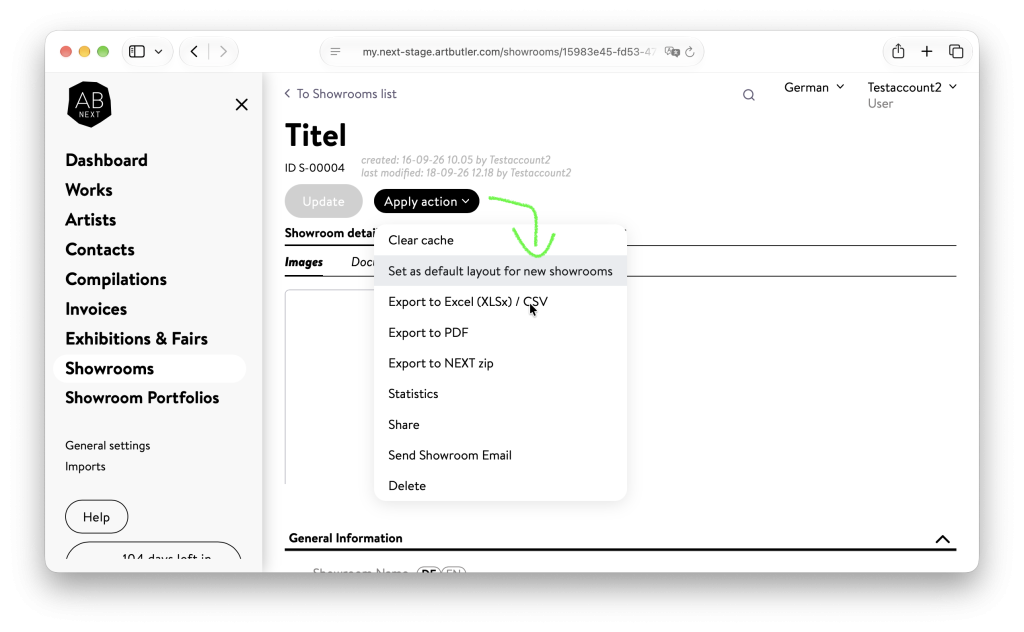
- From the Actions menu, select “Set as default layout for new showroom”.
- Done! All newly created showrooms will now use this layout.
This applies to both manually created and imported showrooms. Existing showrooms will not be changed.
Set the default layout
You can set the default layout in two places:
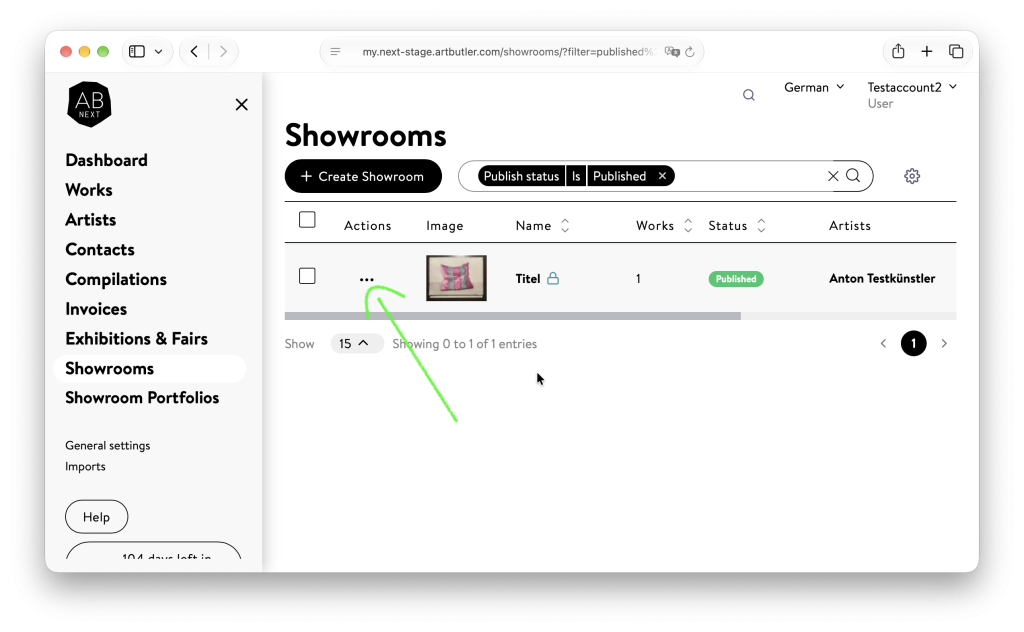
From the showroom list
Showrooms → ••• in the “Actions” column → Set as default layout for new showroom
From an open showroom
Showrooms → open the desired showroom → Apply Action → Set as default layout for new showroom
Which settings are applied?
The default layout includes only the design and display settings of the selected showroom.
Content is not copied. This includes, for example, artworks, contacts, titles, texts, and images.
The following settings are saved as defaults:
Showroom details
- Show logo in Showrooms
- Activate view on your wall
- Visualize a work in a room photo
- Show dimensions in
- Use 2 column layout for description
- Show prices including VAT
- Show tax information next to each price
- Filter works by status
- Show social media links
- Embed Code: Include description
- Theme
- Primary font
- Secondary font
- Colors
Details editor
- Sorting of blocks, including empty content blocks
- Titles of Documents and Installation images blocks
- Showroom details
- Text position
- Layout
- Color
- Visible fields
- Works List
- List layout
- Caption placement
- General and Works Details
- Visible fields
- Activate enquiry option
- Show favorites
- Show buy button
When is the default layout used?
The default layout is automatically applied to all newly created showrooms:
- Showrooms you create directly in Artbutler NEXT
- Showrooms imported from Artbutler PRO
- Showrooms created when importing artworks from an Excel file
Existing showrooms remain unchanged.